










Step Four

“Thoughtfully listed products reveal your passion, value and brand.”

All about Your Products
This is where the fun begins!

 While it may feel overwhelming at first, following each step will help you succeed.

The Products section is where you will spend most of your time managing your Storefront. Here you can create, view, and update your products, monitor inventory, and track performance. As you become more familiar with this section, the process will become quicker and easier.

Each section below includes descriptions, examples, and helpful tips to guide you in building and maintaining a successful Storefront.

Your Images

Upload the Main Photos

Upload a main image that clearly represents your product. This will be the primary photo customers see when viewing your listing. Use the suggestions above to help take the best pictures for your Storefront.

Upload Additional Views

Upload additional images of the same product from different angles or views. Multiple photos help customers better understand the details, quality, and appearance of your item.

1. Clean Background
Place your product on a simple, uncluttered background so the item stands out. White, neutral colors, or wood surfaces work well.

2. Natural Lighting
Use natural light from a window whenever possible. Avoid harsh shadows or dark images. Soft lighting helps show the true colors of your product.

3. Multiple Angles
Take photos from different angles such as the front, side, back, and close-up details. This helps customers clearly see what they are purchasing.

4. Show Size and Scale
Include an object for reference (such as a hand, coin, or ruler) so customers can better understand the size of the product.

5. Lifestyle Photos
Show the product being used or displayed in a real setting. For example, a candle on a table, jewelry being worn, or food plated and ready to serve.

6. Highlight Details
Take close-up photos to show textures, materials, craftsmanship, or unique design features.

7. Consistent Style
Try to keep a consistent style and background for all of your product photos so your storefront looks clean and professional.

Title (Product Name)

Choose a clear and descriptive name that tells customers exactly what the product is. A good product name often includes the type of item and a key feature such as the material, style, or purpose. 

    BraceletHandmade Silver Charm Bracelet”

    Plant HangerMacramé Plant Hanger – Natural Cotton.

    Welcome Sign – “Rustic Wooden Welcome Sign”

    Soy Candle“Handmade Lavender Soy Candle”

Product Type

Drop-Down of Product Type

A Simple product is a single item with no variations or selectable options. This means the product is sold exactly as listed, with one price and one version available to customers. 


A Variable product is an item that comes in multiple options, such as different sizes, colors, styles, or materials. Customers can choose their preferred option before purchasing. 


An External/Affiliate product is listed in your storefront but is sold on another website. When customers click the product, they are directed to the external site to complete the purchase.


A Grouped product is a collection of related products displayed together on one product page. Each item in the group can be purchased separately, but they are organized together to make it easier for customers to browse similar or complementary products. 

Category

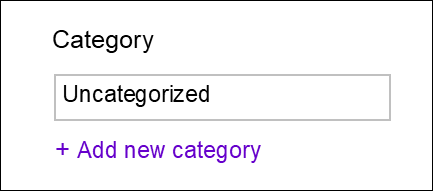
Categories help organize your products so customers can easily browse and find what they are looking for in your Storefront. By placing products into clear categories, you group similar items together and make your storefront easier to navigate.
Think of it as “aisles” in a grocery store.

Examples of Categories

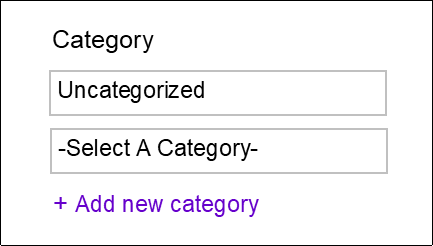
Add A Category

Click “Add a New Category” to view the available category options. Use the dropdown list to select the category that best fits your product. If you do not see the category you need, please contact us at TheChatter@MyLocalCrafters.com and we will add it for you. As our marketplace grows, our category list will continue to expand as well.

Price

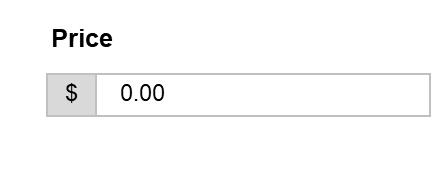
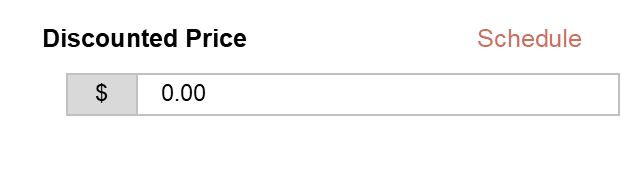
The Price field is where you enter the regular selling price of your product. This is the standard amount customers will pay when the item is not on sale.


The Discounted Price is the lower price offered during a promotion or sale. For example, a product normally priced at $30 may be discounted to $24.


The Schedule option allows you to set the start and end dates for a sale price. After the scheduled dates end, the product automatically returns to the regular price.

Brand

Your Brand is the name of your Storefront. See if your store is in the drop down. If your store name is not available, please contact us so we can enable it for you.

Email us: TheChatter@MyLocalCrafters.com

Tags

Tags are keywords that describe your product and help customers find it when searching the marketplace. Choose words that reflect the product’s type, style, material, or use. We have added a large list of Tags for you. You also have the option to enter your own which reflects your products.

Examples of Tags

Maker: handmade, ceramic mug, farmhouse decor, soy candle, wooden toy, knit scarf, rustic sign, jewelry, pottery, home decor.

Food Vendor: homemade, baked goods, fresh bread, pastries, cupcakes, cookies, artisan food, farm fresh, organic, gluten-free, vegan, local honey, jams, salsa, hot sauce, candy, chocolate, gourmet snacks, handmade pasta, specialty foods.

Boutique: handmade, boutique clothing, women’s fashion, accessories, jewelry, handbags, scarves, handmade jewelry, boho style, vintage style, rustic decor, home decor, gifts, seasonal items, baby boutique, handmade soaps, candles, bath products

Descriptions

Short Description

  • Quick overview of your product
  • Key details that make it appealing and unique.
  • One of the first things buyers read, so it should highlight your product’s main features, materials, and why it’s special.
  • This section appears before the long description, making it perfect for a short, attention-grabbing summary.
  • Keep it 1–3 short sentences
  • Focus on what the product is and what makes it unique

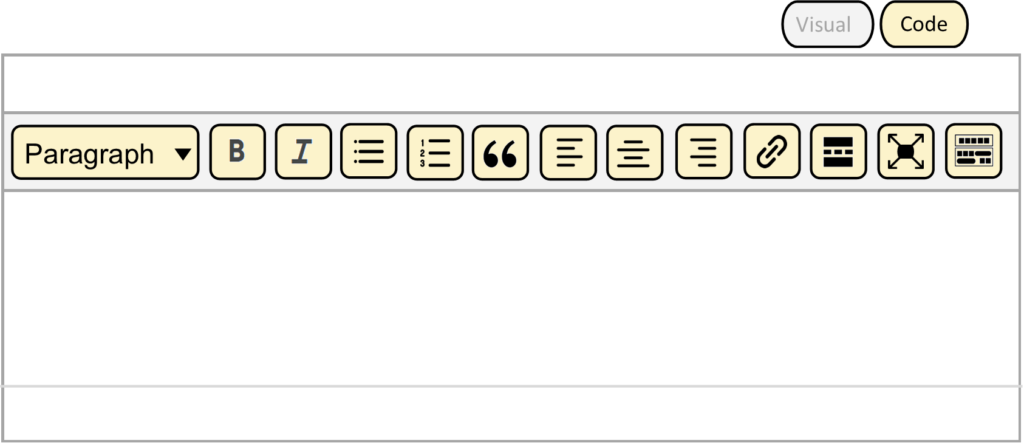
Use the formatting tools to highlight important details and organize your description with bold text, lists, and spacing. Simple formatting makes your product description clearer, more engaging, and easier for shoppers to scan and understand. A little formatting can go a long way in making your product stand out.

Examples of a Short Description

  • CANDLE – A handmade soy candle with a warm vanilla scent, perfect for creating a cozy atmosphere in any room.
  • COOKIES – Freshly baked chocolate chip cookies made from scratch using simple ingredients and a classic family recipe.
  • TOTE BAG – A stylish and comfortable cotton tote bag designed for everyday use, featuring a durable design and modern look.
  • JELLY – Small-batch homemade jelly made with fresh ingredients and rich, natural flavors.
  • POTTERY – Handcrafted pottery pieces designed to add beauty and function to your home.
  • BOUTIQUE – Stylish boutique items offering unique clothing and accessories for every occasion.
  • FARMHOUSE – Rustic farmhouse décor that brings warmth and charm to any space.
  • WOOD – Quality handcrafted wood pieces built with care and attention to detail.

More Short Descriptions can be found on our Resources page

Description

Your description is where your product’s story comes to life. This is your chance to help shoppers understand what makes your item special, how it was made, and why it would be perfect for them or someone they love. Use the suggestions below to guide you as you write.

Example: Each wreath is handcrafted using high-quality florals and natural materials to bring warmth and charm to your home year-round.

More Short Descriptions can be found on our Resources page

Examples of a Product Description

Homemade Jelly
Our homemade jelly is crafted in small batches using fresh ingredients to ensure rich, natural flavor in every jar. Each batch is carefully prepared to preserve quality, taste, and consistency. Perfect for spreading, baking, or gifting, these jellies bring a homemade touch to every meal.


Pottery
Each pottery piece is handcrafted with attention to detail, combining both beauty and function. From everyday use to decorative display, these items are designed to enhance your space with unique textures and finishes. No two pieces are exactly alike, making each item a one-of-a-kind creation.


Boutiques
Our boutique offers a curated selection of clothing and accessories designed to reflect current trends while maintaining a unique style. Each item is chosen with quality and individuality in mind, helping you express your personal look. Whether for everyday wear or special occasions, our collection provides something for everyone.


More Short Descriptions can be found on our Resources page

Key Elements of a Great Product Description

EYE-CATCHING INTRODUCTION
A short, compelling sentence that highlights the product’s uniqueness.

  • What inspired the product

  • What makes it different from similar items

  • Whether it is handmade, small-batch, or locally made

  • A quick statement that captures attention

MATERIAL & CRAFTING PROCESS
What it’s made from and how it’s created.

  • Type of materials used (cotton, wood, clay, resin, etc.)

  • Handmade or machine-assisted process

  • Eco-friendly or sustainable materials

  • Special techniques used (hand-painted, kiln-fired, etc.)

  • Are materials locally sourced

SIZE & DIMENSIONS
Height, width, depth, or weight (in inches & cm).

  • Measurements in inches and centimeters

  • Weight of the item if applicable

  • Capacity (for items like mugs or containers)

  • Size comparisons if helpful

  • Information about adjustable sizing if applicable

COLOR & VARIATIONS
Available colors, patterns, and any custom options.

  • Pattern or design styles

  • Available finishes (matte, glossy, natural, etc.)

  • Seasonal color options

  • Limited edition colors

  • Custom color requests

USAGE & BENEFITS
How the product can be used

  • Everyday uses

  • Decorative uses

  • Functional benefits

  • How it improves daily routines

  • Where it can be used (home, office, kitchen, garden, etc.)

GIFT, HOLIDAY OR SPECIAL OCCASION
Mention who the product would be perfect for

  • Birthday

  • Weddings or anniversaries

  • Housewarming gifts

  • Baby showers

  • Teacher appreciation gifts

  • Host or hostess gifts

  • Seasonal celebrations

GIFT WRAPPING
Offer gift wrapping for any special occasion

  • Types of gift wrap or packaging available

  • Whether a gift message can be included

  • Holiday or seasonal wrapping options

  • Extra cost for gift wrapping if applicable

  • Special packaging for birthdays, weddings, or holiday

CARE INSTRUCTIONS

How to clean, store, or maintain the product.

  • Cleaning recommendations (hand wash, wipe clean, machine washable)

  • Storage tips

  • Temperature or moisture considerations

  • Handling instructions for delicate items

  • Maintenance suggestions to extend product life

OUTDOOR OR INDOOR USE
Areas that are best for the product.

  • Indoor decorative use

  • Outdoor durability

  • Weather resistance

  • Best placement (garden, porch, living room, kitchen, etc.)

  • Protection from sun, moisture, or extreme temperatures

CUSTOMIZATION DETAILS 

Personalization options (e.g., names, colors, engraving).

  • Names, initials, or special messages

  • Color or design customization

  • Engraving options

  • Font styles or placement of personalization

  • Instructions for submitting custom requests

SHIPPING & PACKAGING
Processing time, shipping method, and availability.

  • Processing time before shipment

  • Shipping carriers used

  • Tracking availability

  • Packaging materials used to protect the item

  • International shipping availability

CALL TO ACTION
Encourage the buyer to add to cart or explore more products.

  • Invite customers to add the item to their cart

  • Suggest browsing other items in your shop

  • Mention limited quantities or seasonal availability

  • Thank customers for supporting handmade businesses

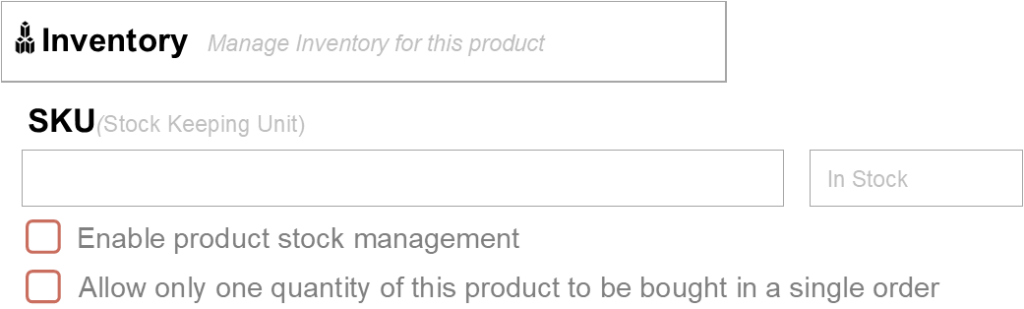
Inventory

This section allows you to manage the availability of your product. Here you can enter the stock quantity, track how many items you have available, and control whether the product is in stock or out of stock.

Keeping your inventory updated helps ensure customers only purchase items that are available. If your product sells out, you can update the quantity or mark the item as out of stock until more are available.

Tip: Regularly review and update your inventory to prevent overselling and to keep your product listings accurate for customers.

ENABLE PRODUCT STOCK MANAGEMENT
This option allows you to track the number of items available for this product. When enabled, you can enter the quantity in stock and the system will automatically update the inventory as items are purchased.

ALLOW ONLY ONE QUANTITY OF THIS PRODUCT TO BE BOUGHT IN A SINGLE ORDER
Enable this option if you want customers to purchase only one of this item per order. This is useful for limited items, custom products, or one-of-a-kind items where only a single quantity should be purchased at a time.

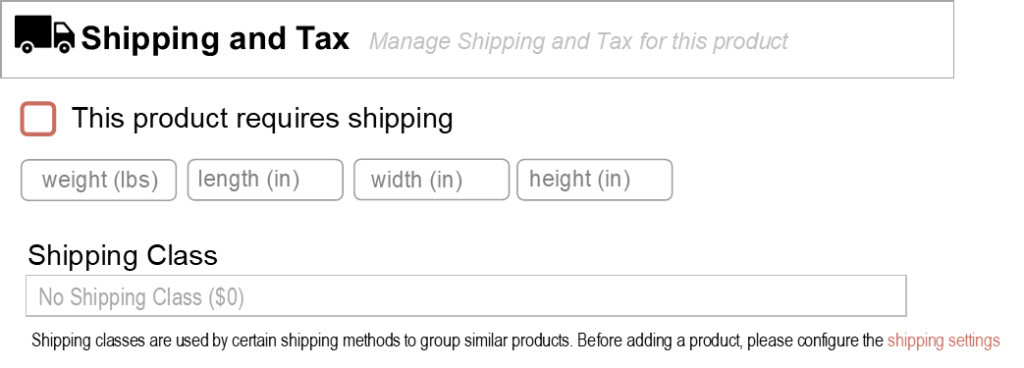
Shipping and Tax

This section allows you to enter information related to how your product will be shipped and how taxes may apply. Set details such as the product weight, dimensions, and shipping class (if applicable) to help calculate shipping costs.

The highlighted Shipping Settings section (under Settings – Storefront) allows you to set up how your products will be shipped to customers. In this section, you can define your shipping rates, delivery areas, and shipping methods.

You can choose how much to charge for shipping, whether shipping is calculated by product, location, or flat rate, and set any additional rules that apply to your store. 

Linked Products

Connecting your product to other related items in your Storefront helps shoppers discover more of what you offer — increasing visibility and potential sales.

Linked products help customers explore your shop more easily and often lead to additional purchases. It’s a simple way to promote your other creations — right on the product page!

IDEAS FOR UPSELLS AND CROSS-SELLS

  • Suggest higher-end or premium versions of the product (for example, a larger candle or a deluxe gift set).
  • Recommend complementary products that go well together (like a matching wreath hanger or candle holder).
  • Create collections or bundles that shoppers can purchase together.

Attribute

Attributes are product characteristics that describe details about an item. They help customers understand more about your product and can also be used to create product variations.

Common attributes include:
size, color, material, or style.

Adding attributes helps customers quickly see important product details and makes it easier for them to choose the option that fits their needs.

CLOTHING
Size: Small, Medium, Large
Color: Red, Blue, Black

FOOD PRODUCTS
Flavor: Chocolate, Vanilla, Strawberry
Size: 8 oz, 16 oz

HANDMADE ITEMS
Material: Wood, Ceramic, Cotton
Style: Rustic, Modern, Vintage

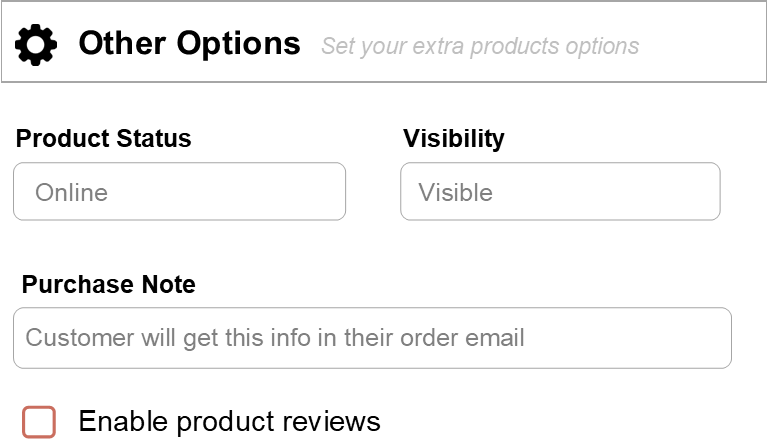
Discount Options / Other Options

DISCOUNT OPTIONS
This section allows you to offer a sale price for your product. You can enter a regular price and a discounted sale price, which will show customers the reduced price when the product is on sale.

Using discounts can help attract customers
and encourage more purchases.

OTHER DISCOUNT OPTIONS
This section includes additional settings that control how your product appears in your store. These options may allow you to enable product reviews, add a purchase note, or change the product visibility.

These settings help you customize how customers interact with your product listing and what information they see after purchasing.

Scroll to Top