Step One

“You’ve built the talent. This is where you build the visibility.”

Register & Payment

Hello, I’m Rebecca, the owner of My Local Crafters — and I’m so glad you’re here!

We get it — reading instructions isn’t the fun part of being creative.
Most of us would rather jump right in, but skip a step and things can quickly look a little “abstract.”
Follow the steps in order and you’ll save time, avoid rework,
and create a storefront that looks picture-perfect from the start.

The next Step: Customer Dashboard

Register

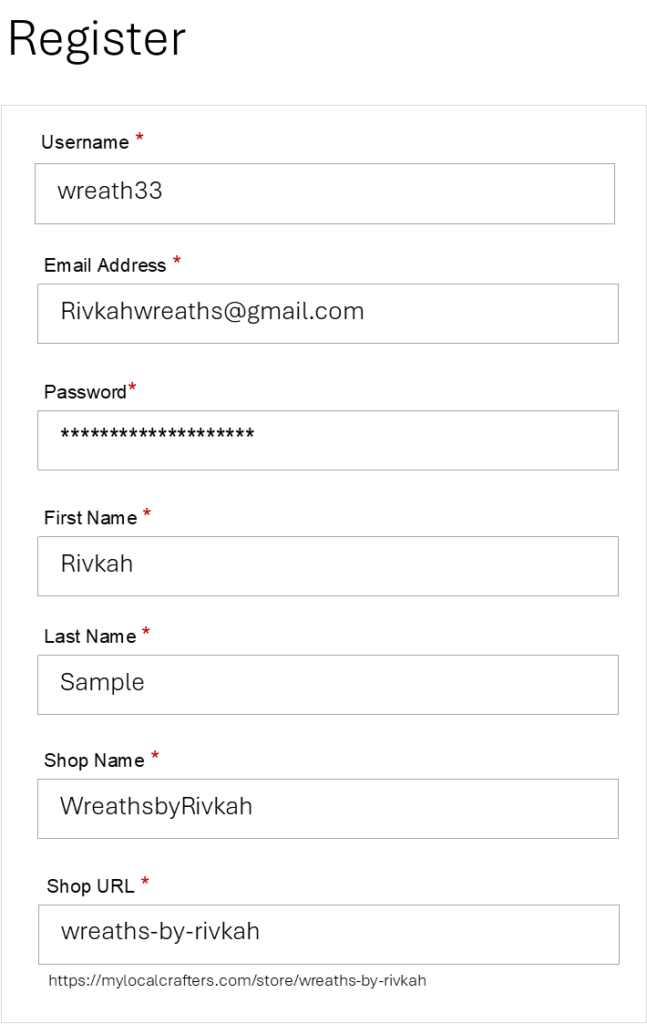
Registering at My Local Crafters, it is very easy. 

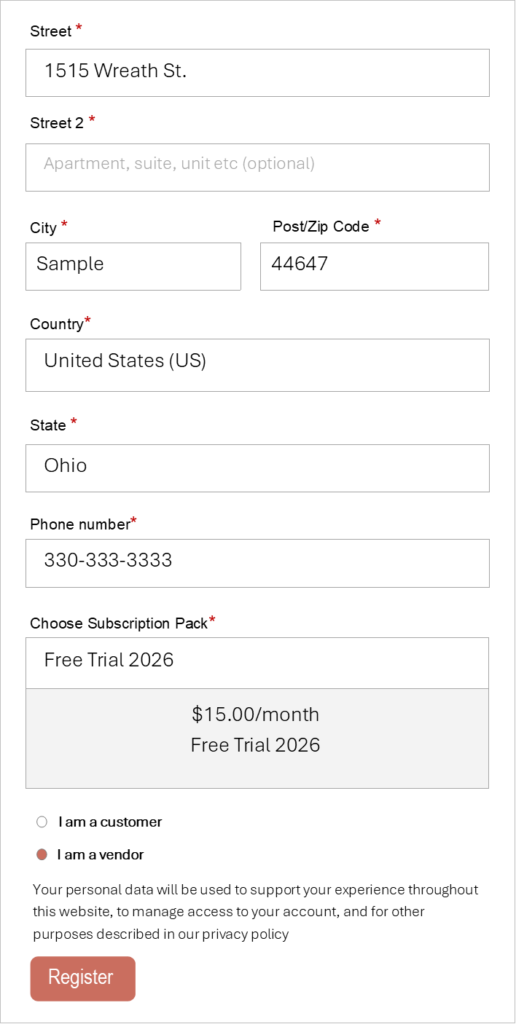
  1. Choose Vendor if you are a Maker, Food Vendor or Boutique.
  2.  When you type in the Shop Name and press Enter, the Shop URL will automatically fill in for you.
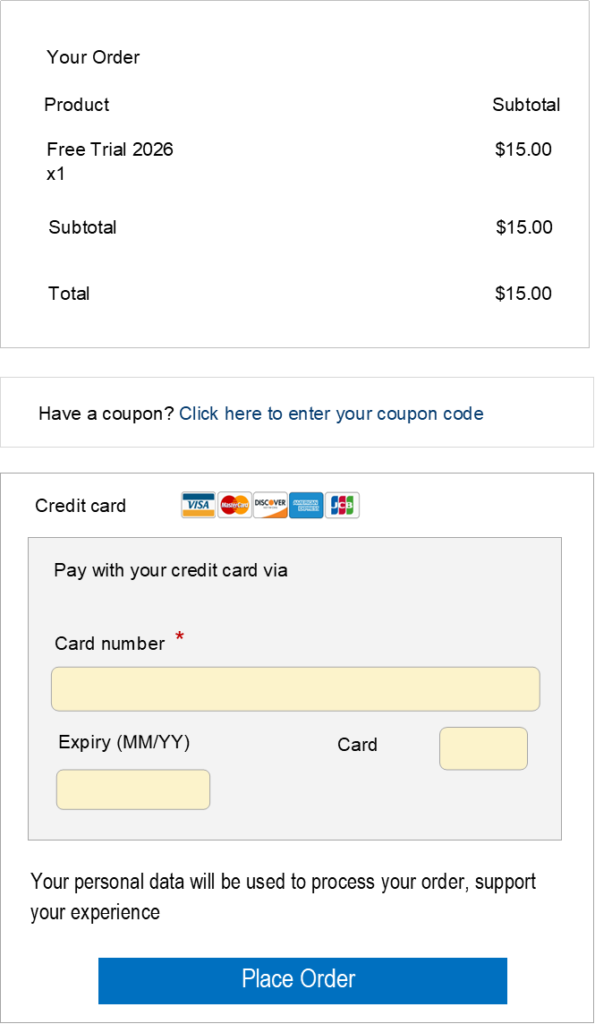
  3. The only option available right now is Free Trial 2026. It may show $15, but you won’t be charged for the first 30 days.

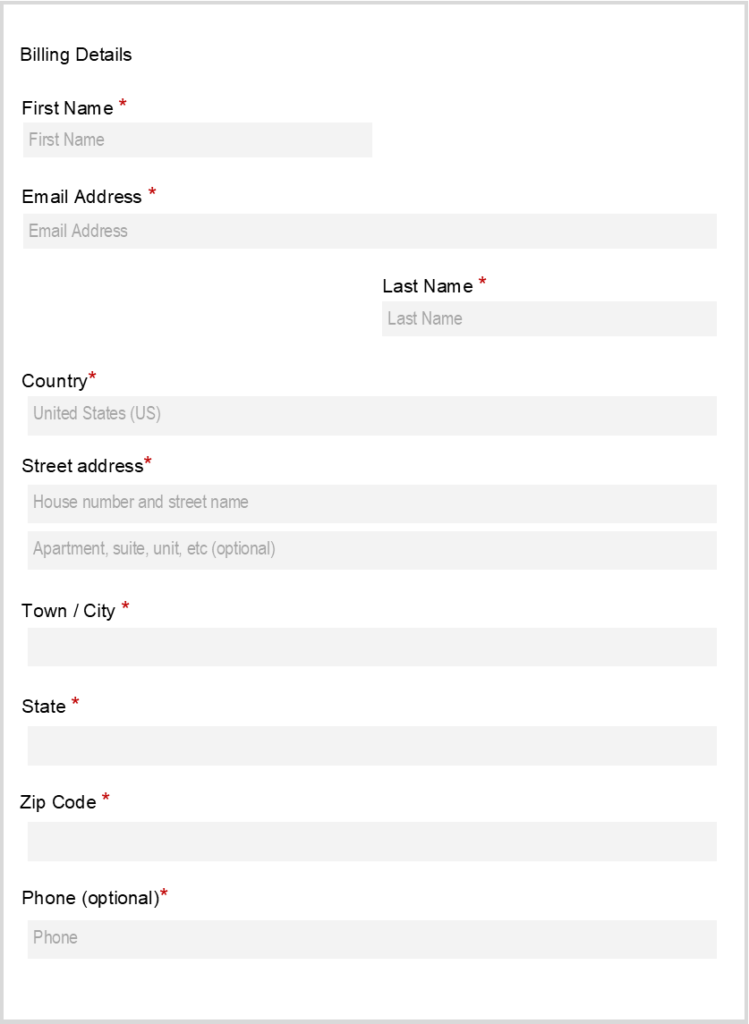
Payment

Enter your billing information and make sure everything is correct to avoid any issues when your payment is processed. The amount will show $15.00, but you will not be charged until after the 30-day trial. You’ll also notice that the $15.00 is not in bold, which means the payment has not been taken.

Menu After Registered

Once you are registered and your payment is processed a Vendor Dashboard and Customer Dashboard will appear in the main menu.

Both dashboards play an important role in managing your business.
The Customer Dashboard serves as your personal account, where you can view membership orders,
update personal information, change your password, and shop as a customer
while tracking products from other vendors.


Scroll to Top